Help: Thoughts¶‹ PreviousNext ›
Thoughts (/thoughts, in the Toolbox and your user menu) is your own locker for quick notes: a bug you noticed, an idea, something to look up. Type it in the box at the top and press Save it. Nobody else sees your thoughts: not the project's admins, and nobody else's AI.
Think out loud. Your agents answer in place. With ThoughtFlow on, write @designer in a thought and Send: the answer lands inside the thought, and the card turns amber when it's your turn.
Why note it instead of prompting
A thought costs nothing to write, and nothing runs until you send it. Collect what you have in mind, then send it together: your AI reads a batch once and sees what you want overall, where a string of separate prompts is paid for again each time and leaves the first ones without context. That is ThoughtFlow.
Capture and tag
#tagsin the text tag the thought, and[[links]]link to topics.#important(or#top) marks its card red.- Where it goes: the chip under the box says which of your projects the thought is saved on; tap it to pick another.
- What you type is kept in the box until you save it, even across a refresh.
- Archive it saves a thought straight into the Archive, for things you want kept but out of the way.
Find them again
- Views: Recent (not archived), Not tagged, Archive.
- Projects: your thoughts from every project you're a member of are here together; pick one to see only its thoughts.
- Tags have three looks, one tap each: plain, selected (only these show) and hidden (red: these are hidden, and that is remembered for you on every device). While anything is hidden, a line above the list says so, with Show all.
- The site search finds your thoughts too, in a Your thoughts group only you see.
Edit, move, delete
Tap a card to open it in place: Save, Archive, History (every save is a version), Delete (to your Trash), and a project picker that moves it to another of your projects. ⤢ opens it in the big box at the top.
Send a thought to an agent
Master projects. Write @designer (or another role, or an agent's name) in a thought and press Send: it goes to that agent, who answers inside the thought with Done or Questions and a ↳ Your answer line. Type under that line and send again. These are your Chats. A thought to @monitor is answered as a question only, never carried out.
The Inbox and sprints
Talk in a sprint. Get tasks back. Dictate a sprint in one long breath: new bug…, new idea… split it into thoughts as you save, each one tagged, and they all land in the Inbox.
Master projects. Your pending #bug, #feature and #idea thoughts collect in the Inbox, at the top of Thoughts. Send (N) hands the ticked ones to your designer in one message, who turns them into pipeline tasks and sends them straight to the pipeline (to keep them from running, hold the pipeline); each thought then says Became task P-n and is archived. One the designer has questions on comes back with them, see After you send.
- What goes in: every thought tagged
#bug,#featureor#ideathat isn't sent or archived yet. A#noteor an untagged thought stays out; tap ^^ on its card to promote it in. By voice: ok new bug, ok new feature and ok new idea go in, ok new note doesn't (Voice). - Leaving one out: untick its box. It skips the next send only and is back, ticked, after that.
- Start fresh: Clear all moves every thought in the Inbox down to Others, unticked, and they stay there, even after your next send, until you tick one again.
- In a Focus: a thought in a Focus is out of the Inbox, so it is never sent twice. It comes back if you take it out of the Focus or archive the Focus.
A Focus: thoughts and topics together
From a search to pipeline tasks, in one place. Search, tick what belongs together, add it to a Focus, write your notes, and send it: it comes back as tasks.
Think on one subject. End with one task.
A Focus is a workbench for one piece of work. You pull together the thoughts and topics that belong to it, write your own notes on top, think it through in one place, and then send it to your designer in one go. Make one with Group in focus on Thoughts (tick the thoughts first), or from a thought; its page opens at once. The ? by its title brings you back here, and the first time you open a Focus a small box tells you what's what.
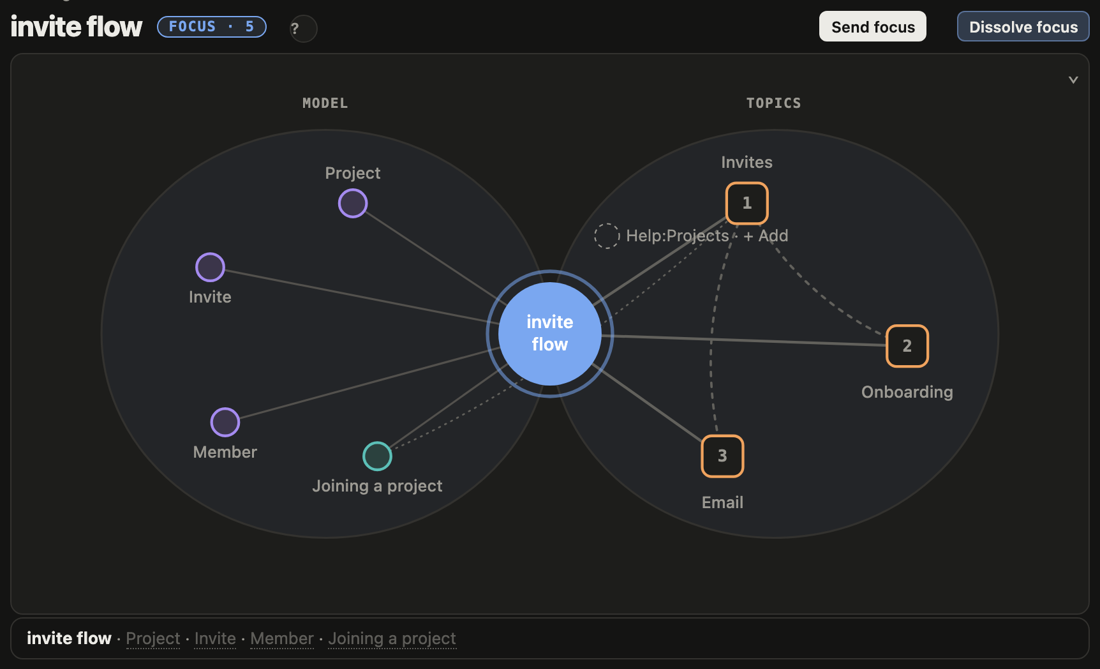
The map
Your Focus sits in the middle, a blue circle with its name.
- Right, the topics it holds: orange squares, numbered. A dotted line joins two topics that link to each other.
- Left, the model the Focus talks about: the classes (violet) that your notes and thoughts name, and the features (teal). A feature has a dotted line to the topics that name it.
- Grey, with + Add: topics your notes mention that the Focus doesn't hold yet. + Add makes one a member.
- Tap anything to open it under the map. Tap the middle to come back to your notes. Previous and Next walk through your notes and the topics in order.
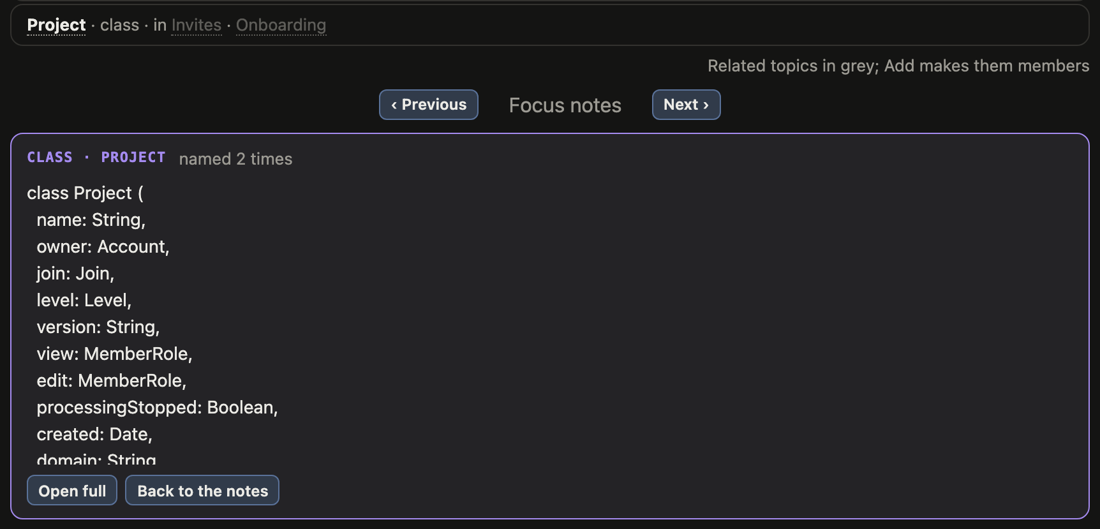
Fold the map
When you'd rather write than look, ⌄ at the map's top right folds it to one line. The line stays at the top as you scroll and keeps up with you: it shows what you tap, and the classes and topics you type. ⌃ opens the map again, and the page remembers which way you left it.

Your notes
The box under the map is the Focus's own text: what it's about, what you've decided, what's still open. It saves as you type. The buttons above it add bold, italic, headings, lists, [[links]] and #tags. Add at its top right starts a new thought right inside this Focus, or opens search to bring in more.
Its thoughts
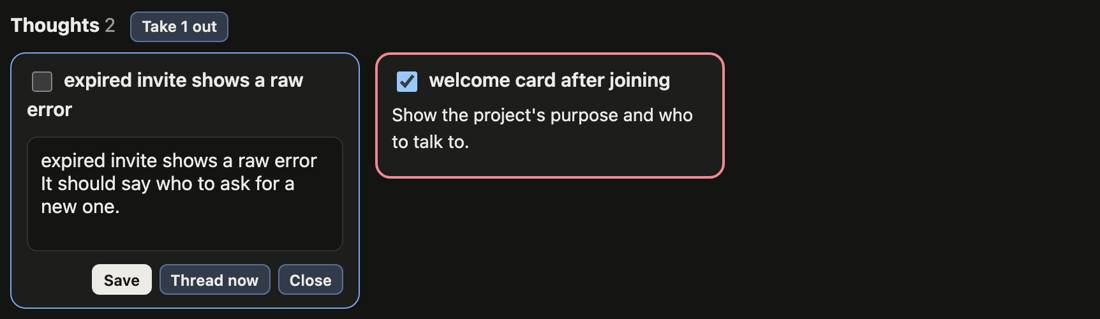
The Focus's thoughts are the cards at the bottom.
- Tap a card to edit it in place. Save keeps it; Thread now sends that one thought to your designer as a question, and the answer comes back in the thought.
- Take some out: tick their cards, then Take N out by the Thoughts heading (it shows once something is ticked). They go back to Thoughts and into the Inbox.
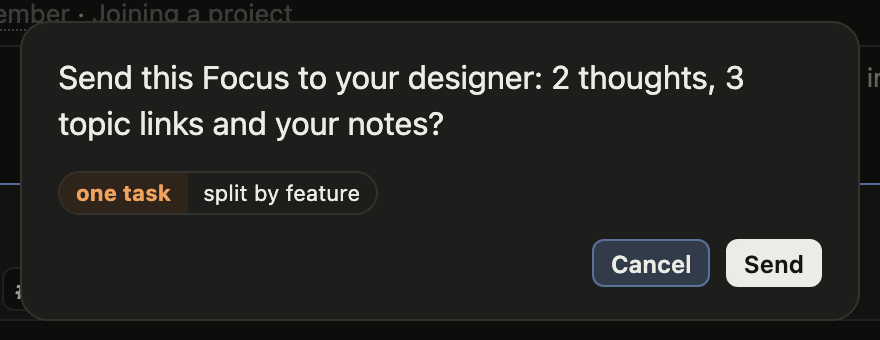
Send it, or let it go
- Send focus (at the top) asks first. It sends every thought, the topic links and your notes to your designer, as one task (the usual choice) or split by feature, one task for each feature its thoughts name.
- Dissolve focus (at the top) also asks first. Every thought goes back to Thoughts and the Inbox, your notes are added to the first thought, and the topics are left as they are. On a Focus of one thought, the same button reads Back to a thought.
After you send: whose turn it is
Master projects. A sent thought is either waiting on the designer or waiting on you.
- Waiting on the designer. A sent thought carries
#sentand has no checkbox: it can't go into the Inbox again while the designer has it. - Waiting on you. When the designer answers but needs your say first, the answer shows on the card, it's tagged
#ai-questionand its checkbox is back. Reply if you want more, or leave it until you're happy. - Ok, go. Happy with the answer? Tick it into the Inbox. It goes as ok, go and is handled like any other thought: enough to go on, it becomes tasks; anything missing, it comes back to you as
#ai-question. - Ended in tasks. The thought shows its tasks (Became task P-n) and is archived.
Tasks made from your thoughts are sent to the pipeline, not parked. If you don't want them worked on yet, hold the pipeline.